Activate Adobe Fonts In Figma
You can also choose to select text layers with the same properties! After restarting (and adobe cc launching at login), i opened figma and saw that the.
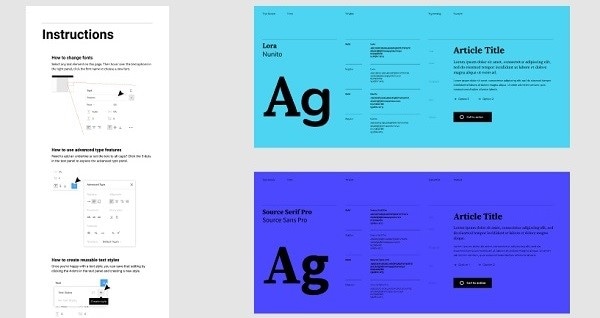
How To Install Figma Missing Fonts And What Fonts Figma Support
I can't get adobe fonts to show in figma.
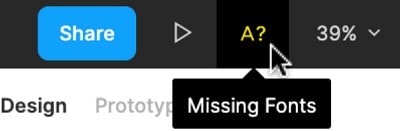
Activate adobe fonts in figma. Figma is free to use. You need to install the figma font service to use your local fonts in figma's browser app. In addition to being listed in creative cloud desktop, your active fonts are listed on the website under the active fonts tab on my adobe fonts.
As for access to the font library, free users are only limited to the basic section. Inspired by the lettering work of czech designer jaroslav benda, it is available in two versions that work like a different outfit. It also supports adobe fonts and.
I have the fonts activated. I had to quit xd, go to fonts.adobe.com. Go to the adobe fonts website and make sure that the fonts that you want are still in use.
Photoshop, figma, sketch, adobe indesign and other graphic applications. This was happening for me as well, but i think i just solved it. I can access my adobe fonts in figma, so it should be possible for you as well.
Adobe xd remains a valid figma alternative even for upgrades. Download the figma desktop app for macos or windows as well as the font installer and device preview apps This might take some time depending on your network connection.
Figmotion is a bit tricky because it’s an external plugin, it has some bugs and unintended consequences sometimes. Certain users consider this plan richly satisfactory despite being free. I can't find newly activated adobe fonts within figma, neither through the browser nor the desktop app.
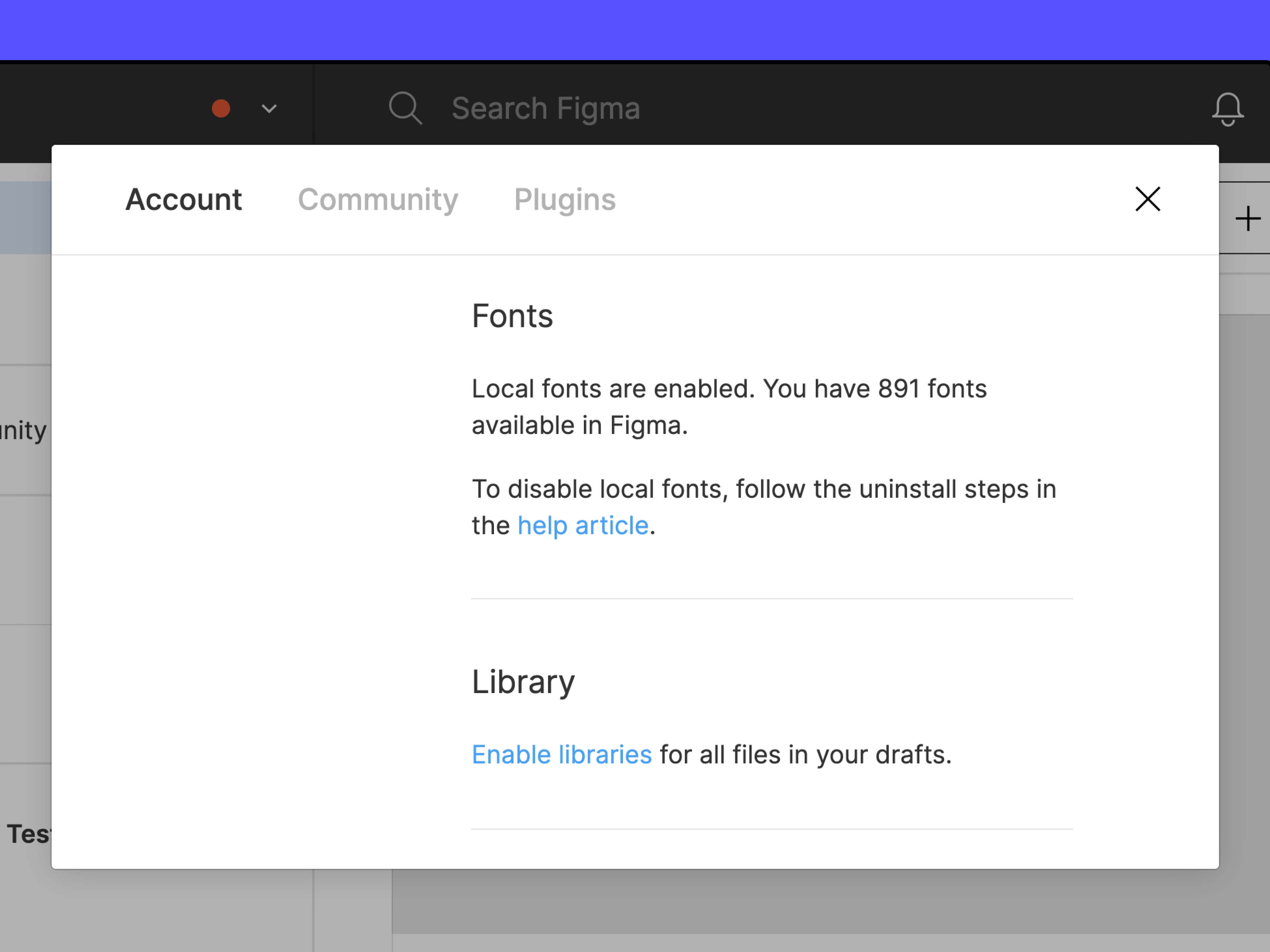
Figma, sketch, adobe indesign, adobe illustrator and others) fonts are installed in popular photo and video processing programs in the same way as in the os. However, its free version is also available, but the free version comes with some limitations. From the available options, just click on the download installer to enable local fonts button.
You can activate as many fonts as you'd like, but we recommend keeping your active font list short to optimize performance. I then deactivated and activated the fonts in the fonts site: You can also choose to select layers with the same properties.
Installing the font in the program is the same as installing the font in the operating system. Make sure either the figma daemon, figma font helper, or font service is running on your computer's activity monitor. Anyone experience this before and can advise?
I did this, and now they're appearing in figma. Search in the search bar for what font i wanted. Avory is a condensed sans that challenges convention.
You will need to be signed in to creative cloud and have opened the application within the last 30 days to access these fonts. You can use the keyboard shortcuts: Looks like creative cloud puts fonts that haven't been used in a while in the cloud, even though they are activated.
This will simply launch the interface of the figma font helper toolkit. October 27, 2020 at 8:55am. Adobe xd offers the following plans:
Checked if the fonts are active again on both my adobe account site and on the desktop app. Enter your login credentials to verify administrator rights. I have tried restarting creative cloud, figma, my mac.
Figma doesn’t have an integration with adobe fonts (formerly adobe typekit). Explore avory designed by sláva jevčinová at adobe fonts. After installing the font, do not forget to restart the program in which you.
Sign in, if not signed in. I got on to adobe support but they said they don't support 3rd party apps and can't help. The main thing is not to forget to reload the program before using the font.
And had to activate each one of them. Adobe xd comes with a few adobe creative cloud plans. Adobe fonts supports devices running macos or windows 10.
Go to the fonts section in your account settings to see if the font service is installed on your current device. To use the font in photoshop, sketch or indesign, you need to install it in your operating system. In upper right corner choose my adobe fonts.
I have tried fixing it with the figma font helper but it didn't work. Restarted my computer once fonts are active in both web and desktop app. It provides 1 active prototype and 1 active design specification.
To use this font on your website, use the following css: Then when i restarted xd, the fonts were available. Search for select all text layers.
To make this as accurate as possible, all of the materials, fonts, colors and controls are taken from microsoft's windows ui figma toolkit. Figjam works great for a brainstorm or a retrospective, or anything really. Everything is created from scratch in figma by hand.
I went through the online chat help. The fonts are active on my computer and i.
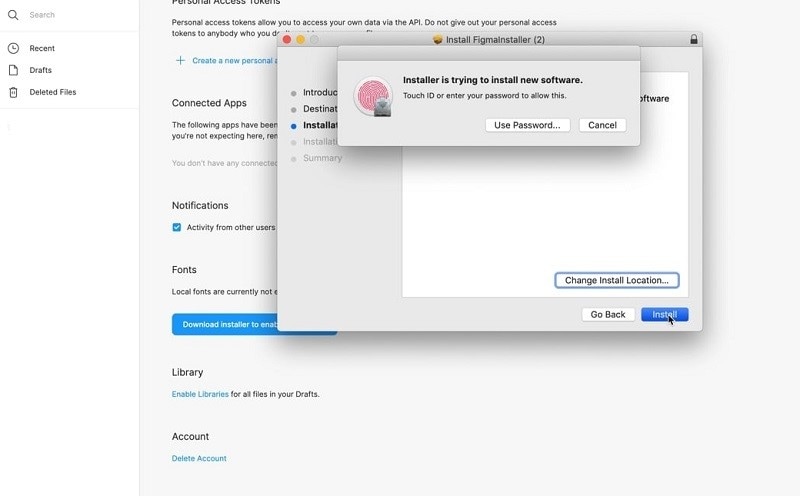
How To Install Figma Missing Fonts And What Fonts Figma Support
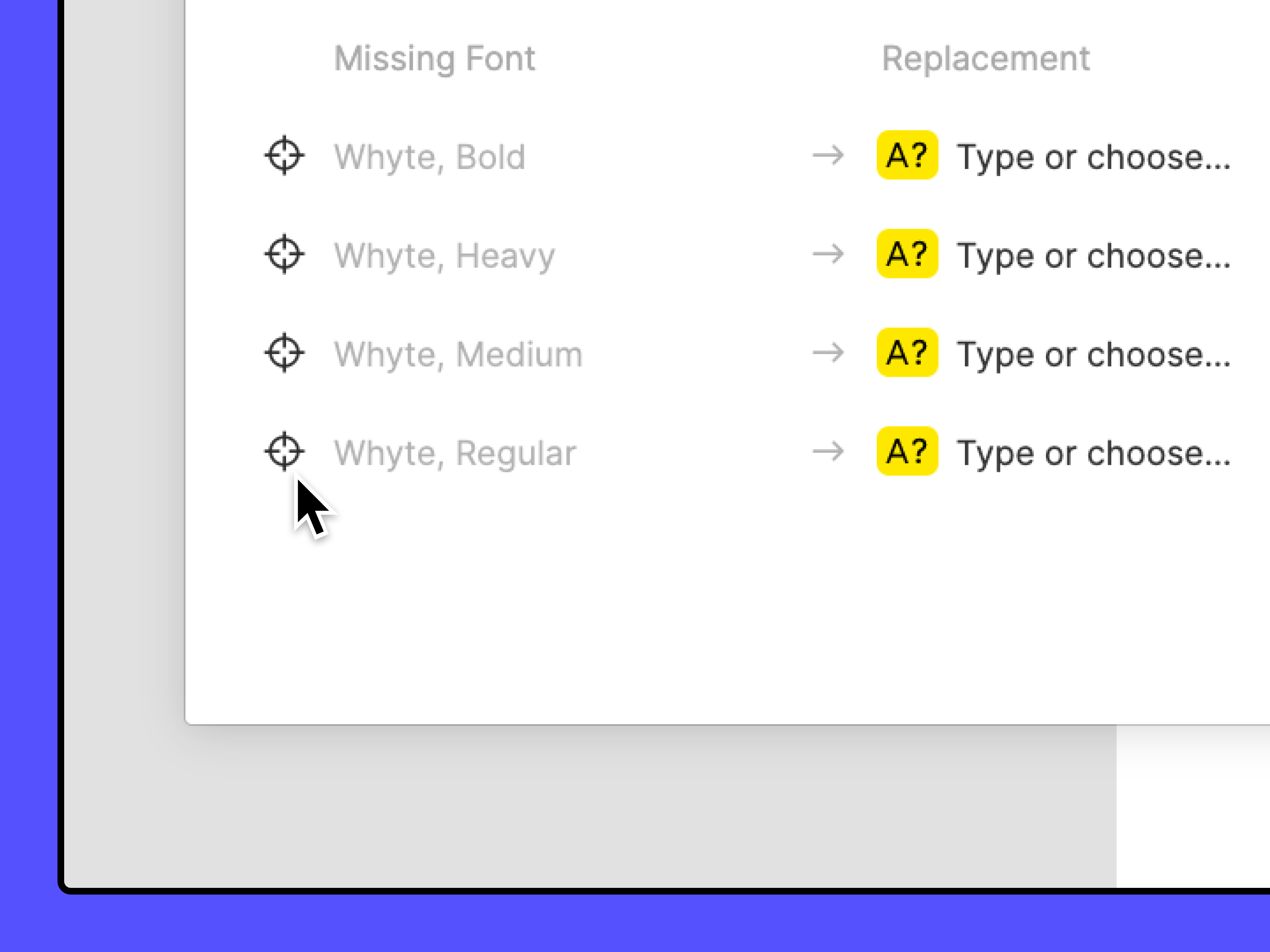
Manage Conflicting Fonts Figma Help Center
Manage Conflicting Fonts Figma Help Center
How To Install Figma Missing Fonts And What Fonts Figma Support

3 Simple Ways To Add Fonts To Figma - Wikihow
Manage Conflicting Fonts Figma Help Center

Figma Tutorial Text Tool And Fonts - Youtube

Adobe Fonts In Figma Not Working - Get Help - Figma Support Forum

3 Simple Ways To Add Fonts To Figma - Wikihow
How To Install Figma Missing Fonts And What Fonts Figma Support
How To Download New Fonts In Figma Free - Youtube
How To Install Figma Missing Fonts And What Fonts Figma Support

Adobe Fonts In Figma Not Working - Get Help - Figma Support Forum
Figma Tutorial Text Tool And Fonts - Youtube
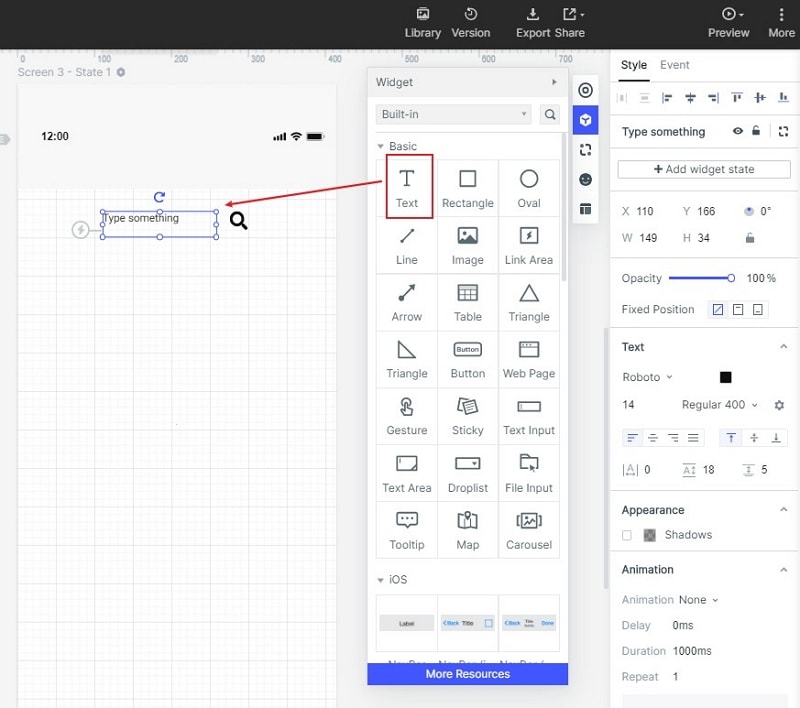
How To Install Figma Missing Fonts And What Fonts Figma Support

3 Simple Ways To Add Fonts To Figma - Wikihow
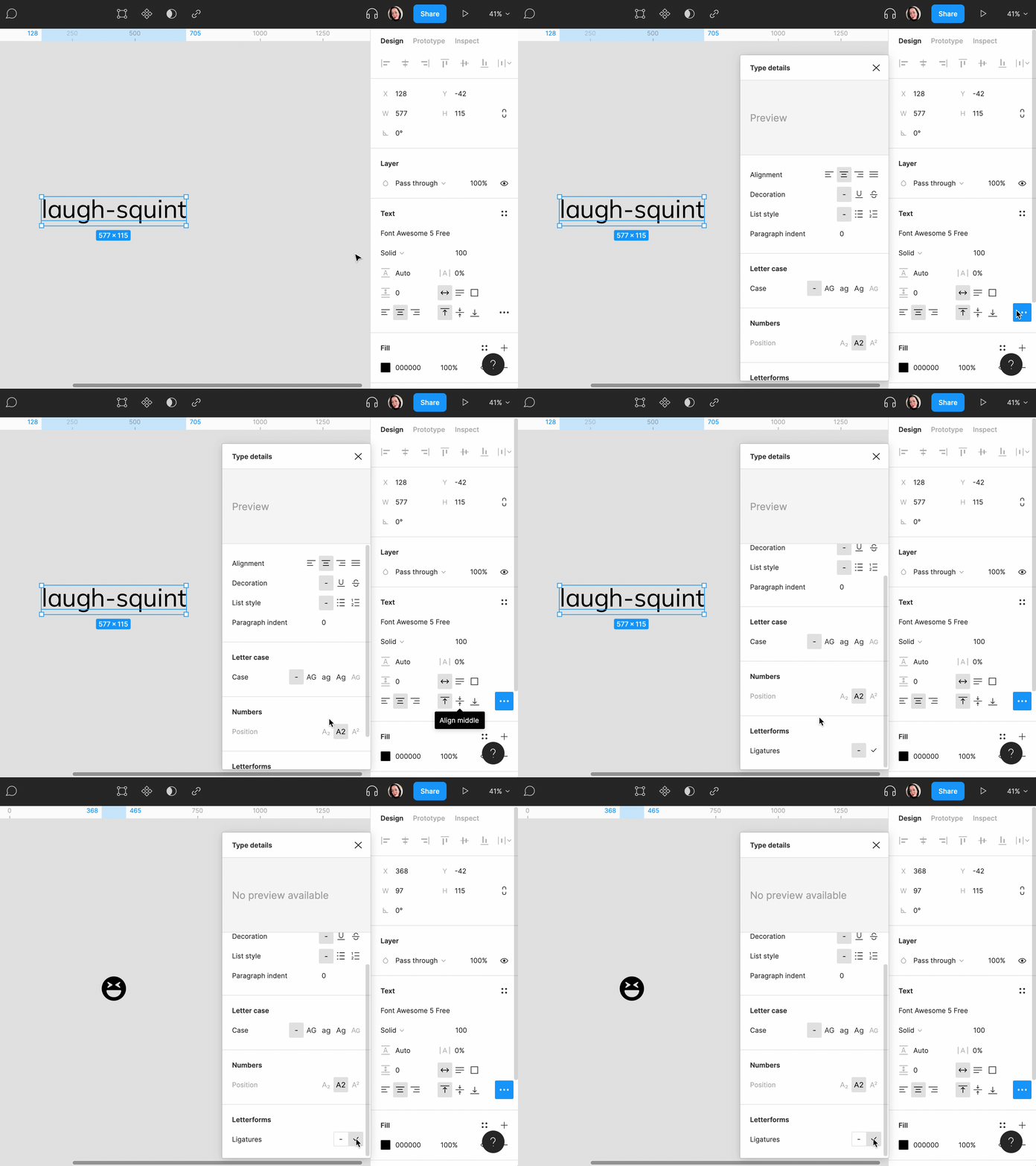
Manage Conflicting Fonts Figma Help Center

Add Links To Text Figma Help Center

3 Simple Ways To Add Fonts To Figma - Wikihow


Komentar
Posting Komentar